
Use ZBrush the Way Professional Concept Artists Do
Turn rough ideas into polished, production-ready character concepts using a proven 3D-to-2D workflow used in real game studios.
This 8-week live course teaches you how to use ZBrush not as a final asset tool, but as a powerful concept art engine—supporting stronger design decisions, faster iteration, and clearer visual storytelling.
You’ll walk away with:
-
A fully realized 2D character concept derived from a 3D sculpt
-
A repeatable workflow used in professional game production
-
The confidence to use 3D as part of your concept process, not a crutch
From Sketch to Sculpt to Final Concept
This course bridges the gap between idea and execution, showing you how professional artists combine sketching, sculpting, and paintover into a single cohesive workflow.
-
Develop strong character designs using reference-driven exploration
-
Block, sculpt, pose, and polypaint characters efficiently in ZBrush
-
Text length of individual points can be shorter or longer depending on your needs
FAQ
-
How is the course structured?
This is an 8-week live course with weekly instructor-led demos, guided assignments, and live Q&A. Each week focuses on a specific stage of the character concept workflow, building toward a final polished piece.
-
Do I need prior ZBrush experience?
No advanced ZBrush experience is required. The course is designed to teach ZBrush as a concept art tool, focusing on the features and workflows that support design, not technical mastery.
-
Will this help my portfolio?
Yes. By the end of the course, you will complete a fully realized 2D character concept derived from a 3D sculpt and paintover process, suitable for inclusion in a concept art portfolio.
-
Is this course about making game-ready characters?
No. This course is intentionally focused on concept art and visual development. The goal is design clarity, iteration, and presentation, not final production assets.
-
What software do I need?
ZBrush and a 2D painting application such as Photoshop or an equivalent. A pressure-sensitive tablet is recommended. Blender can be used as an alternative for some workflows, though demonstrations are done in ZBrush.
-
Are the sessions live?
Yes. Classes are taught live, with opportunities to ask questions and learn through real-time demos. This allows you to see how a professional artist thinks and makes decisions.
Designed for Artists Ready to Level Up Their Process
This course is built for artists who want to think and work like professionals, not just learn tools in isolation.
This course is ideal if you:
-
Are a beginner to intermediate artist interested in character concept art
-
Want to integrate 3D into your workflow without losing design intent
-
Care about presentation, iteration, and industry-relevant workflows
Why This Course Is Worth It
You are not paying for software tutorials you can find online. You are paying for structure, feedback, and a professional workflow taught by a senior concept artist with real production experience.
-
A complete start-to-finish character concept workflow
-
Live instruction and real-time decision making
-
A final piece you can confidently include in your portfolio
-
This course saves you months of trial and error by showing you how professionals actually work.
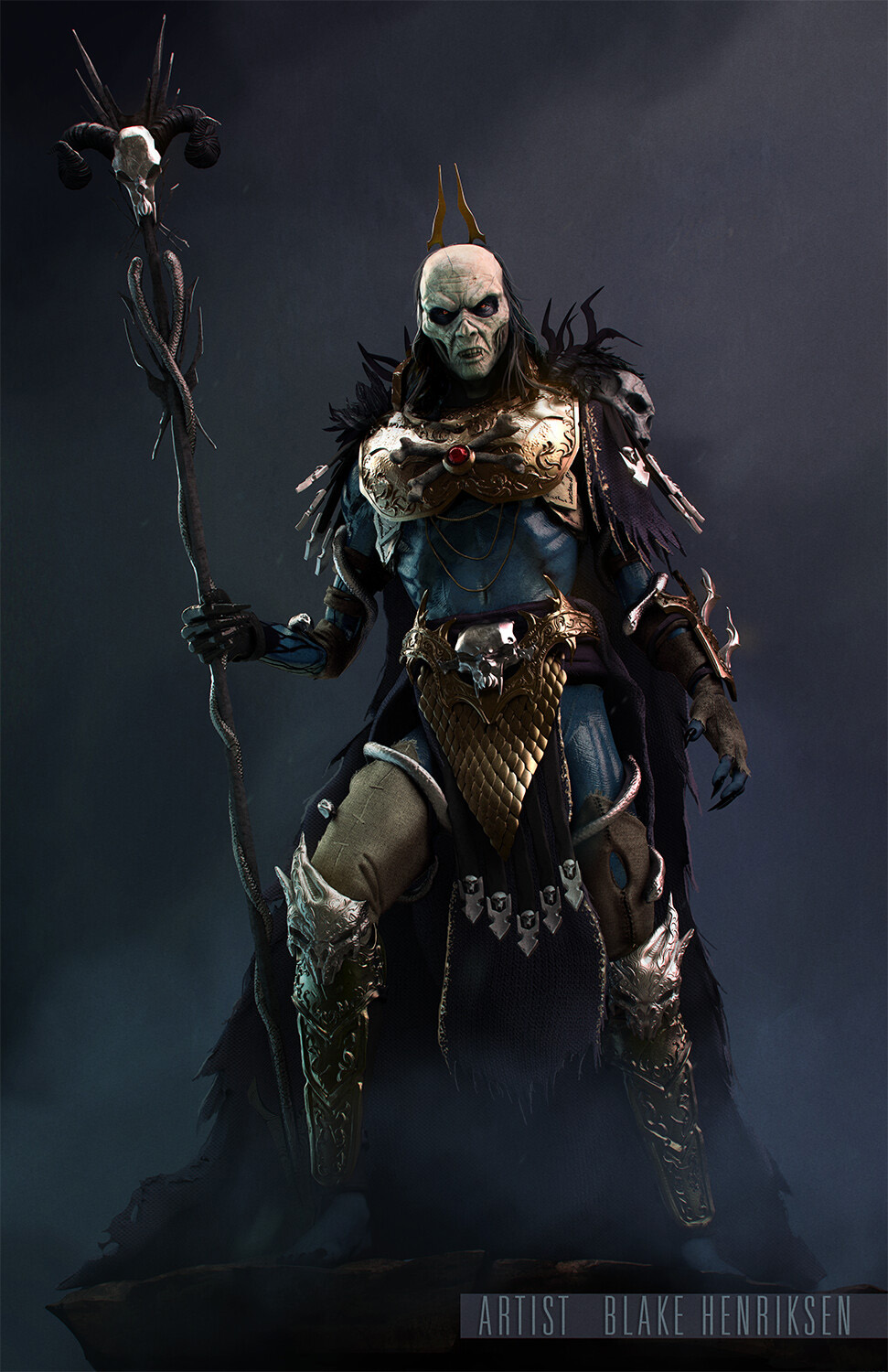
Instructor

Blake Henriksen
Blake Henriksen is a Senior Concept Artist with over ten years of experience in the video game and entertainment industries. He has contributed to a wide range of projects across AAA, MMO, AR, and Mobile Games, including DC Universe Online, Life is Strange: True Colors, the HoloLens2, and a Warhammer IP under NetEase Games. His work spans character, creature, environment, and prop design, with a strong emphasis on character driven visual development and production ready solutions. Blake has also spent many years teaching, mentoring students in concept art, illustration, and professional workflows while developing curriculum focused on industry pipelines. With a background that bridges games, visual development, and education, he is passionate about helping artists build strong fundamentals and confidently prepare for careers in the game industry.